


Phone Ringtones
4.43.59K Reviews
App Specs
- Version
- 15.9.5
- Updated On
- License
- Free
- Downloads
- 50,000,000+
- Developer
- Ringtones and Wallpapers Apps by Trela
- Categories
- Music & Audio
- Platform
- Android, iOS
Screenshots
 Analysis by AppCompare
I usually think about ringtones only when my phone rings in the middle of a quiet room and I realise I can’t tell it apart from everyone else’s. Phone Ringtones is aimed at that small, practical annoyance: finding a sound that feels more personal and is easy to put to use. It is a free music and audio app from Peaksel Ringtones Apps, and its straightforward purpose makes more sense to me than treating it as a full music player or sound-editing studio.
There is a useful distinction to keep in mind before you start: browsing for a ready-made tone and making a custom one are different kinds of task. If you want a quick change, the catalogue is the natural place to begin. If you already have a particular sound in mind, creating or selecting a clip is a more deliberate route. The app is most appealing when you know which of those jobs you want it to do.
A quick change for an everyday phone
The first decision is less about genre than about where you will hear the sound. A ringtone has to work when your phone is across a room or buried in a bag, while an alarm needs to get your attention without being so unpleasant that you dread it. A notification sound has a different job again: it should be distinct enough to notice, but not so loud or dramatic that every message feels urgent.
That makes previewing more useful than simply picking the most entertaining clip. I would listen for a clear opening, a recognisable pattern and a sound that still makes sense after repeated use. A dramatic effect may be funny the first time and irritating by the end of a busy week. A shorter, more restrained choice can be the better daily option, especially for people who receive frequent calls.
Finding a tone without endless scrolling
The app’s catalogue is the obvious starting point if you do not have a specific file ready. Search can narrow the choices when you know a style or sound you want; browsing categories is better when you are open to being surprised. I would use those approaches differently rather than trying to inspect everything. Search is for a deliberate change, while category browsing is for discovering a tone when the old one has simply become stale.
It also helps to make a small shortlist instead of setting the first sound that catches your ear. Preview a few candidates at the volume you normally use, then compare their openings and overall feel. A tone that sounds polished at a low volume may be easy to miss in a noisy place; one with an abrupt start may be noticeable but jarring at home. Thinking about the places you actually take calls is a practical way to choose.
When a custom sound is worth the extra effort
The DIY option is aimed at people who want something more personal than a ready-made selection. If you are using music from your library, decide on the useful moment before you start: a recognisable intro or a short, distinctive passage is usually more effective than a long stretch that takes time to become identifiable. For recorded audio, I would make a quick test recording and listen back before relying on it as a daily alert. Background noise or a quiet beginning can make a clip less useful than it seemed while recording.
Worth Reading Before You Choose

Flipboard Shows What News Apps Must Do Beyond the Feed

Switching to Android Auto Means Rethinking Your Driving Routine

Google Calendar Makes a Crowded Week Easier to Manage

Ludo King Makes the Most of the Minutes Between Plans

Baby Panda World Brings Quick Play to Modern Phones, but Its Game Library Feels Busy

ESPN’s Live Game View Makes Following Close Games Easier
There is a trade-off here. A custom clip can feel more like yours, but choosing and checking it takes longer than selecting a catalogue tone. It is also easy to pick a favourite song that becomes tiring when it interrupts work or conversation. I would save the personal choice for calls from people you recognise or for a sound you hear infrequently, and keep a simple, immediately recognisable tone for calls that need a fast response.
Getting Started with Phone Ringtones
First off, downloading the Phone Ringtones app was a breeze. Available on both Android and iOS, you just head over to your respective app store, hit download, and you’re all set. No complicated setup required, which is perfect because who has time for that, right?
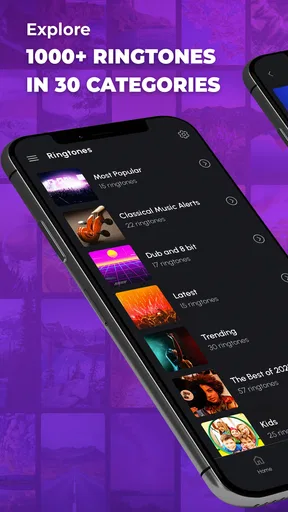
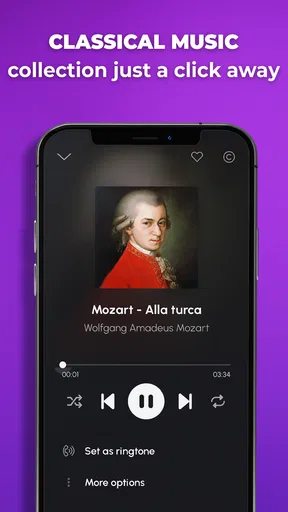
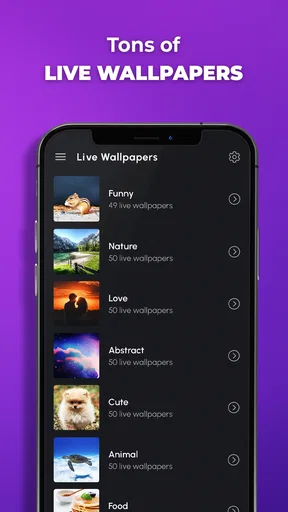
Once installed, the app greets you with a sleek and user-friendly interface. It’s straightforward, so even if you’re not tech-savvy, you’ll navigate it like a pro. The home screen showcases a variety of categories, from classic tunes to the latest chart-toppers. They even have a section for sound effects if you’re into something quirky.
Exploring the Features
The app boasts an impressive library of ringtones. We’re talking thousands! You can browse through different genres like pop, rock, classical, or even something more niche like jazz. And if you’re into seasonal tunes, they’ve got you covered with holiday-themed ringtones that’ll make your phone jingle all the way.
One feature that caught my eye is the DIY option. Feeling creative? The app allows you to create your own ringtones. You can use your favorite songs from your music library or even record your own audio. It’s as simple as selecting a song, choosing the part you love, and voila! You’ve got a personalized ringtone.
Usability and Interface
Now, let’s talk about how easy it is to use. The app’s design is intuitive. With minimal buttons and a clean look, finding what you need is quick and hassle-free. The search function is super efficient; just type in what you’re looking for, and bam, it’s right there.
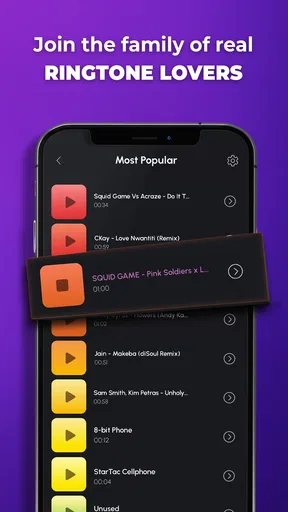
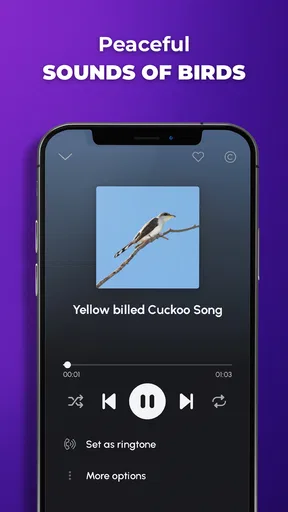
Setting a ringtone is as easy as pie. Once you find a tune you like, you just tap on it, and the app gives you the option to set it as your ringtone, notification sound, or even alarm. No need for any third-party apps or transferring files manually. It’s all done within the app.
Making the sound fit your routine
A useful everyday workflow is to start with the sound’s purpose, preview a few options, and only then apply the one that fits. For example, if I wanted to change my workday ringtone, I would pick something with a clear opening that I can recognise quickly, test it as a call sound, and keep a softer choice for alerts that happen more often. That avoids using one loud, attention-grabbing clip for every kind of interruption.
After choosing a sound, take a moment to check how it behaves in the setting where you will rely on it. A tone that feels distinctive while you are browsing may blend into a busy street, while a sharp effect can be uncomfortable in a quiet office. Previewing is not just a way to avoid a bad choice; it is a chance to judge whether the sound will be practical beyond the app screen.
The handoff from browsing to using the sound is one of the app’s central conveniences. Rather than treating the selected audio as a file you must find and move yourself, the app offers a direct setting step for ringtone, notification or alarm use. If you change phones or reset sound settings later, it is still sensible to check the active choice in the phone’s sound settings rather than assume your preferred tone remained selected.
Sound Quality and Performance
Let’s get into the nitty-gritty: sound quality. The ringtones are crisp and clear. None of that muffled nonsense you sometimes get with other apps. The audio quality is top-notch, making sure that your tunes sound fantastic whether you’re in a quiet room or a noisy street.
Performance-wise, the app runs smoothly without any glitches. I didn’t experience any crashes, which is always a plus. Battery and data consumption are minimal, so you don’t have to worry about it draining your phone’s resources.
How it compares with other ways to change a ringtone
Compared with using only the sounds already built into a phone, this app gives you a more focused place to browse for alternatives and consider a custom choice. Built-in options can be quicker if you just need a basic alert and do not care about a larger selection. Phone Ringtones is more appealing when you want to explore before choosing or want the ringtone-setting process alongside the catalogue.
Compared with manually moving audio files around, an in-app selection and setting flow can feel more direct. Manual file management may suit someone who already keeps carefully edited clips and wants full control over where they are stored. The app’s convenience matters most to people who would rather choose a sound and apply it than organise audio folders themselves. For detailed audio editing, a dedicated editor is a better fit than expecting a ringtone app to replace one.
There is also a difference between personalising a phone and building a complete sound system for it. This app focuses on short sounds for calls, notifications and alarms, not on managing a music collection. If your priority is listening to albums, organising playlists or fine-tuning audio, a music player or editing tool is the more appropriate choice. I would treat this as a practical customisation utility, not an all-purpose audio app.
Where the flow can break down
The main friction is choice. A broad catalogue is handy, but it can also make a simple task take longer if you keep browsing without a clear idea of what you want. Seasonal or novelty sounds may be enjoyable to explore and less enjoyable to hear repeatedly. I would set a limit for myself: choose a purpose, preview a handful, and make a decision rather than turning ringtone selection into an open-ended search.
Customising from personal audio can require more thought than the quick workflow suggests. A favourite song is not automatically a good alert, and a self-recorded clip may need a clean, recognisable start. If the audio you want is not readily available in your music library, or if you want precise editing beyond selecting a useful part, preparing it may involve extra work outside the simple browse-and-set experience.
There is a cost detail worth considering as well. The app is free to download, but it includes optional in-app purchases, with listed items ranging from $0.99 to $59.99. I would check the purchase screen carefully before confirming anything and decide whether the free experience already meets my needs. The app’s Teen content rating is another reason to consider whether its sound and browsing experience suits the person who will use it, particularly if you are choosing it for a younger family member.
Who will get the most from it
I would recommend it to someone who is bored with the default sounds, likes trying different styles, or wants a simple way to make calls and alerts easier to distinguish. It can also suit a person who enjoys experimenting with a personal audio clip but does not want to start by learning a dedicated editing workflow. The most satisfying use is often modest: replace one sound that has become annoying or confusing, then leave the rest of the phone alone.
It is less suitable for someone who wants a minimalist phone with no extra browsing, already has a well-organised collection of sound files, or needs detailed control over editing. Those users may be happier with built-in tones or a dedicated audio editor, depending on the task. I would also skip novelty sounds as a main work ringtone if you need calls to remain discreet and easy to identify in shared spaces.
The app has an average rating of 4.5 from around 218,000 ratings, and it has been installed over 50 million times. Those figures suggest that changing phone sounds is a familiar use case for a large audience, but they do not tell me whether a particular tone will suit my routine. I would still judge it by the quality of the previews and how quickly I can find a sound I am comfortable hearing repeatedly.
Why You Should Try It
If you’re someone who loves to express themselves through music or just wants their phone to stand out, this app is a must-try. It’s not just about ringtones; it’s about customizing your phone to match your vibe. Plus, with regular updates and new content, there’s always something fresh to explore.
And just a little tip for the indecisive folks like me: the app lets you preview ringtones before setting them. So you can listen to as many as you want until you find the perfect match.
Peaksel Ringtones Apps has developed a focused utility rather than a complicated sound workstation. The current version is 15.9.1, and the app dates back to Oct 23, 2013; for me, the important question is not how long it has existed but whether its simple path from browsing to applying a sound matches the way I want to customise my phone. Since it is free to start, I can explore that workflow before deciding whether optional purchases matter to me.
In conclusion, the Phone Ringtones app is a fantastic choice for anyone looking to spruce up their phone’s soundscape. Whether you’re into the latest hits or want to create something truly unique, this app has something for everyone. So go ahead, give it a try, and let your phone ring with personality. You won’t be disappointed!
Pros
- Wide variety of ringtone options.
- Easy to navigate user interface.
- Regular updates with new sounds.
- Customizable ringtone settings.
- Fast download and installation.
Cons
- Contains in-app advertisements.
- Limited free content available.
- Some tones require purchase.
- Occasional app crashes reported.
- Not all formats are supported.
FAQs for Phone Ringtones
What features does the Phone Ringtones app offer?
The Phone Ringtones app offers a vast collection of high-quality ringtones across various genres, including classical, pop, rock, and more. Users can easily preview and download their favorite tones, set them as default ringtones, notifications, or alarms, and even customize them according to their preferences with an intuitive interface.
Is the Phone Ringtones app free to use?
The app offers a free version with a wide selection of ringtones available for download. However, it may include ads and offer in-app purchases for premium features or an ad-free experience. Users can enjoy a comprehensive range of tones without any charges, but additional features might require payment.
Do I need an internet connection to use the Phone Ringtones app?
An internet connection is necessary for downloading new ringtones and accessing updates. Once a ringtone is downloaded, it can be used offline. While browsing and previewing tones require connectivity, your selected ringtones can be used without any internet access thereafter.
Is the app compatible with all Android and iOS devices?
The Phone Ringtones app is designed to be compatible with most Android and iOS devices. It supports a wide range of operating system versions, ensuring that users with older or newer devices can enjoy its features. However, it’s recommended to check the app’s specific requirements on the app store before downloading.
How can I customize ringtones in the Phone Ringtones app?
Customization is simple with the Phone Ringtones app. Users can set different ringtones for specific contacts, adjust the volume, and trim or loop their favorite parts of a ringtone. The app’s user-friendly interface guides you through the process, allowing for a personalized audio experience on your device.


